
Recently, we discovered a bug that was affecting the status and code of volunteers who had been discharged from their cases. While many of you may not have noticed, just as many of you may have seen that when you resigned volunteers from a case as a Green/Advocate, their status and code remained Green/Advocate, rather than immediately turning them Yellow (not currently serving on a case).
The whole purpose was that you should be able to run a list or a report to find Yellow/Advocates (inactive) to determine who may be ready for another case (or for some other purpose). With the advocates remaining Green, the assumption is that they are actively serving on a case, which may not be accurate.
The time frame to transition advocate statuses and codes from Green to Yellow to Red are set in the Agency Info screen. This is not a personal preference; it is an agency-wide setting, so if you change the time frame in that screen thinking that it’s just for your volunteers, you are setting that for all volunteers who may report to a different supervisor.
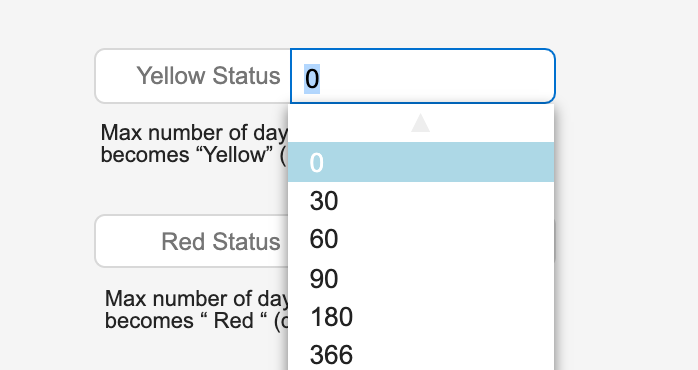
Not only have we fixed the bug that wasn’t forcing volunteers to Yellow once they were discharged, we have also given you another option to the ones already there to set the days to zero. That means that if you set the days to zero, a Green/Advocate will immediately become a Yellow/Advocate once discharged from a case.
The options to turn volunteers from Green (active) to Yellow (inactive/discharged) are:
- 0 Days
- 30 Days
- 60 Days
- 90 Days
- 180 Days
- 366 Days
The same options are available to turn Yellow (inactive/discharged) to Red (left/terminated):
- 0 Days
- 30 Days
- 60 Days
- 90 Days
- 180 Days
- 366 Days
*Note: if a volunteer is still assigned to a case, you must still remove the volunteer from the case in Case Tasks before the status becomes Yellow or Red. The same is true for when you want to force a volunteer into Red status prior to the auto set. The Code as Red checkbox on the volunteer’s record allows you to set the volunteer status to Red immediately once the volunteer has been discharged in CasaManager.
If you have any questions, please contact Gina at gina@casamanager.com